
Opening Balances vs Full Historical Accounting Data Migration
When a business changes finance systems, one of the earliest decisions is deceptively simple: do you bring across opening balances, or migrate the historical transactions as well?
There is no universal answer. The right scope depends on how the business uses its history, what the destination can support, the quality of the source data and what needs to remain available after the legacy system is retired.
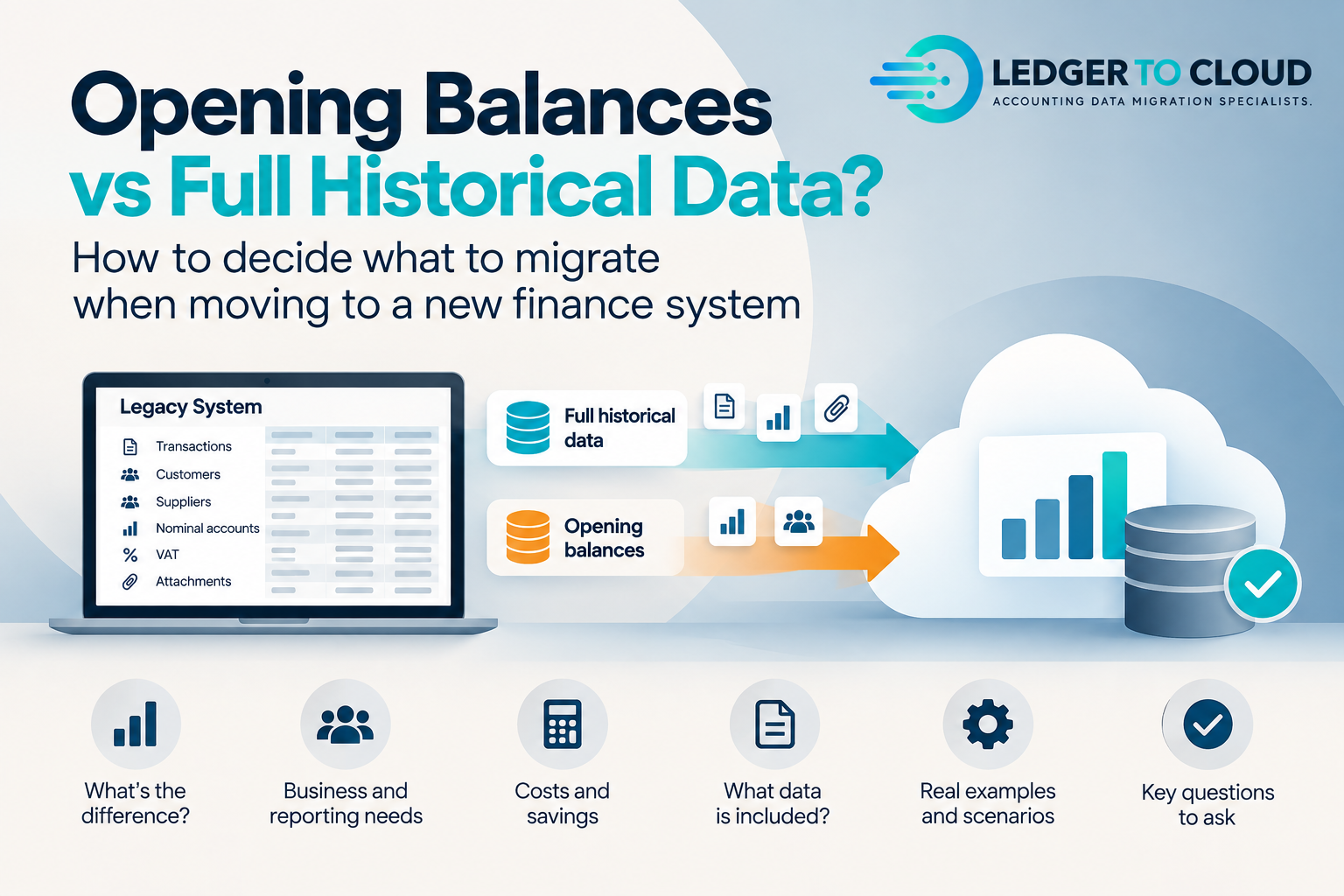
What is an opening-balance migration?
An opening-balance approach starts the new system from an agreed cut-off date. Rather than recreating years of detailed transactions, the destination receives the balances required to begin operating from that point, together with the open customer, supplier and other balances needed for continuity.
It can be the right choice where historical detail is rarely used, the legacy system will remain accessible, the implementation timetable is tight or the cost of recreating old transactional history would add little business value.
What is a full historical accounting data migration?
A historical migration brings agreed prior-period accounting transactions into the new platform so users can continue to analyse and interrogate earlier activity without returning to the legacy system.
The scope can include nominal transactions, sales and purchase history, bank activity, journals, contacts, allocations, tax detail, foreign currency and reporting dimensions, depending on the source data and what the destination supports.
It is better when the history will genuinely be useful, can be migrated reliably and supports the way the business intends to report in the new system.
Retention requirements are one reason historical access matters, although retaining records does not automatically mean every transaction must be recreated inside the new ERP. In the UK, GOV.UK guidance on company and accounting records says records generally need to be kept for six years from the end of the relevant company financial year, with some exceptions requiring longer retention. HMRC's VAT record guidance also sets out digital record requirements and the usual VAT retention period.
Why do businesses choose to migrate history?
Comparative reporting
Users can analyse prior periods in the same environment rather than combining reports from two finance systems.
Operational context
Historical customer, supplier and transaction detail can remain available to finance teams after the legacy platform is retired.
Auditability
Relevant historical references and accounting detail can remain accessible alongside the new ledger, subject to the agreed migration scope.
System retirement
Moving useful history can reduce dependence on maintaining an old finance system purely for lookup and reporting.
Why might opening balances be enough?
Not every organisation needs years of transactional detail in its new ERP. If prior-period reporting is already archived, the source will remain accessible, or the destination is intended primarily for future operations, opening balances can be a perfectly sensible implementation decision.
It can also avoid carrying unnecessary complexity into a new reporting model.
The question is not only how many years
“How many years should we migrate?” is usually the wrong first question. A better question is: what does the business need to be able to do with the history after go-live?
That answer determines whether you need detailed transactions, selected years, specific subledgers, comparative balances or simply an agreed opening position.
The exact design depends on the destination and implementation approach, but the principle is important: an opening position must support the reports and operational processes the business expects to use immediately after go-live.
A mid-year move usually needs more than a single Trial Balance if the new system is expected to produce meaningful current-year reporting. The finance team may need appropriate current-year transaction history as well as aged receivables and payables, open-item allocations and enough bank-reconciliation context to continue from the cut-over point.
What changes in a mid-year migration?
Full transaction history, selected years, opening balances plus read-only access, and archive-only approaches can all be valid. Compare accessibility, retention, reporting, audit and total cost before choosing.
For some businesses, retaining a secure legacy archive and migrating only the history needed for reporting and operations can save thousands of pounds. For others, licence costs, access restrictions, reporting requirements or the need to retire old infrastructure make full migration better value. The decision should be requirements-led rather than based on the assumption that more migrated data is always better.
Historical migration has a cost, but so can keeping a legacy finance system available purely for lookup. Before deciding to move every year of detail, compare the migration effort with the ongoing cost and practical limitations of read-only or archive access.
Cost: compare migration with keeping read-only access
What if the reporting structure is changing?
This is where historical migration becomes more than a copy exercise. The legacy Chart of Accounts, departments, cost centres, projects or entity structure may no longer match the future-state design.
Where appropriate, historical data can be mapped, consolidated or restructured around the new reporting model. Those changes should be agreed and documented so there remains a clear bridge back to the source accounting records.
The destination should reflect how the business wants to report going forward, not automatically reproduce every legacy structure simply because it existed before.
What should be reconciled?
Whether the migration contains one year or twenty, the migrated accounting position needs evidence behind it. Depending on scope, this can include Trial Balance comparisons, aged Receivables and Payables, VAT/GST comparisons, mapping schedules, migration workings and documented exceptions.
A successful import tells you that data entered the destination. Reconciliation tells you whether the accounting result is the one you expected.
How should you decide?
Start with the reporting requirement, not the migration tool. Consider who needs the history, how often it will be used, whether the old system will remain accessible, whether the reporting structure is changing and what the destination can sensibly support.
Then scope the migration around those requirements rather than choosing “full history” simply because it sounds safer, or choosing opening balances simply because they are easier.
If Sage 200 is the source system, our Sage 200 historical data migration guide explains the full workflow from extraction and source controls through mapping, test migration, reconciliation and handover.
We can help define the historical-data workstream.
Ledger to Cloud specialises in extracting, restructuring, migrating and reconciling historical accounting data from legacy finance systems into modern cloud platforms.